How to Create a Quiz Using a Free Online Quiz Maker
Summary:
Learn how to create a quiz online using Quizard's Free Online Quiz Maker. Discover step-by-step instructions, expert tips, and best practices for creating engaging online quizzes.
Creating quizzes online has become one of the most effective ways to engage audiences, assess knowledge, and collect valuable insights. Whether you're an educator conducting classroom assessments, a business training employees, or a content creator looking to increase audience interaction, online quizzes offer a simple and effective solution.
Today, you no longer need technical skills or specialized software to build professional quizzes. With Quizard's Free Online Quiz Maker, anyone can create, customize, and share engaging quizzes within minutes. Whether your goal is education, training, lead generation, or audience engagement, Quizard provides an intuitive Online Quiz Maker that helps transform ideas into interactive experiences.
In this guide, you'll learn what a Free Online Quiz Maker is, why online quizzes are so effective, and how to create a quiz online using Quizard.
What Is a Free Online Quiz Maker?
A Free Online Quiz Maker is a tool that allows users to create, customize, publish, and share quizzes through a web browser without requiring coding knowledge or advanced technical expertise. Instead of manually preparing questions and evaluating responses, an Online Quiz Maker automates the entire process, helping users save time while creating professional assessments. Modern quiz makers support a wide range of formats, including multiple-choice questions, true-or-false questions, trivia quizzes, personality quizzes, and educational assessments. They also offer customization features, response tracking, and sharing capabilities.
At Quizard, we've built a powerful Quiz Maker that helps users create engaging quizzes for a variety of purposes. Whether you're creating classroom assessments, employee training programs, practice tests, or interactive content, Quizard provides the tools needed to build and manage quizzes efficiently. Unlike traditional quiz creation methods, a Free Quiz Maker allows you to focus on creating meaningful questions while the platform handles the technical aspects of quiz delivery and management.
Why Create Quizzes Online?
Online quizzes have transformed the way people learn, train, and interact with digital content. Compared to traditional paper-based quizzes, online quizzes offer greater flexibility, accessibility, and efficiency. Some of the biggest benefits of creating quizzes online include:
Improved Engagement: Interactive quizzes encourage active participation and help users stay engaged with the content.
Greater Accessibility: Participants can access quizzes from desktops, laptops, tablets, and smartphones from virtually anywhere.
Time-Saving Automation: An Online Quiz Maker can automatically calculate scores and provide instant feedback.
Easy Sharing: Quizzes can be distributed through websites, blogs, social media platforms, email campaigns, and direct links.
Better Knowledge Retention: Quizzes promote active learning, which often improves understanding and long-term retention.
Valuable Insights: Quiz results help educators, businesses, and creators better understand participant performance and preferences.
Online quizzes are also highly scalable. Whether you're creating a short classroom assessment for a small group of students or launching an engagement campaign for thousands of users, a reliable quiz creation tool can handle participation efficiently. This flexibility makes online quizzes one of the most versatile digital engagement tools available today. At Quizard, we've designed our Online Quiz Maker to help users take advantage of these benefits while simplifying the entire quiz creation process.
How to Create a Quiz Online with Quizard
Creating a quiz online with Quizard is simple and requires only a few steps.
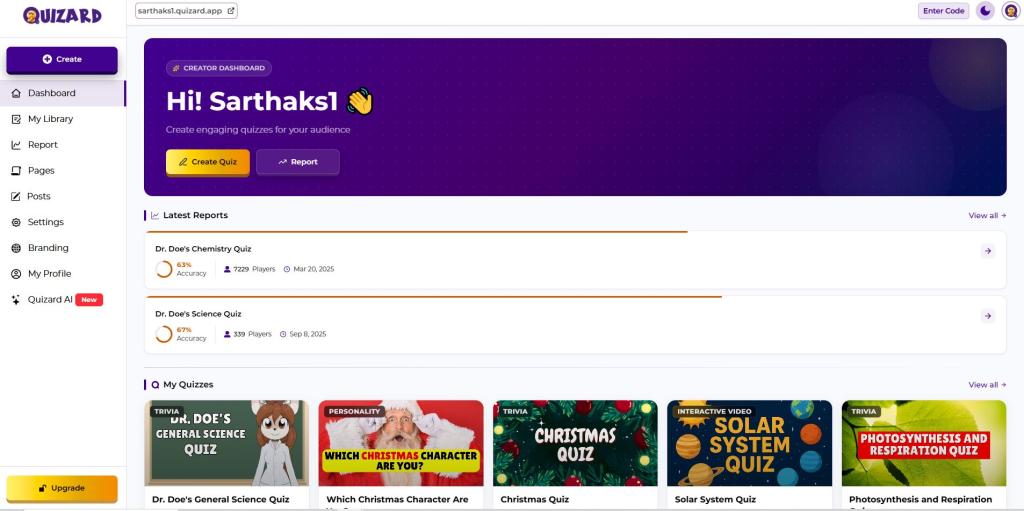
Step 1: Define Your Quiz Objective
Before creating questions, determine the purpose of your quiz. You may want to assess knowledge, conduct classroom tests, evaluate employee skills, create practice exams, increase audience engagement, or build an entertaining trivia challenge. Having a clear objective helps ensure that every question contributes to the overall goal of the quiz.
Step 2: Choose a Relevant Topic
The next step is selecting a topic that aligns with your audience and objectives. Educational quizzes may focus on subjects such as science, mathematics, history, geography, or language learning. Businesses may create quizzes for employee training or compliance programs, while content creators often use quizzes to entertain audiences and encourage interaction. Choosing a focused topic makes it easier to create relevant questions and maintain consistency throughout the quiz.
Step 3: Create Effective Questions
The success of your quiz depends heavily on the quality of your questions. When using Quizard's Quiz Maker, focus on creating questions that are clear, concise, and easy to understand. Avoid unnecessary complexity and ensure that answer choices are accurate and relevant. Well-written questions improve the participant experience and help generate more reliable results.
Step 4: Customize Your Quiz
Customization plays an important role in creating a professional quiz experience. With Quizard, you can personalize quiz titles, descriptions, instructions, and settings to match your specific goals. Customization helps create a polished experience while improving engagement and participation. A well-designed quiz not only looks professional but also encourages users to complete the assessment.
Step 5: Review and Publish
Before publishing your quiz, review all questions and settings carefully. Check for spelling errors, incorrect answers, formatting inconsistencies, and overall usability. Testing the quiz beforehand helps identify potential issues and ensures a smooth experience for participants. Once you're satisfied, publish your quiz and share it through websites, blogs, social media platforms, email campaigns, or direct links.
Create a Quiz
Tips for Creating Effective Online Quizzes
Creating a successful quiz involves more than simply adding questions. A thoughtful approach can significantly improve engagement, completion rates, and the overall participant experience. Keep these best practices in mind when creating quizzes with Quizard:
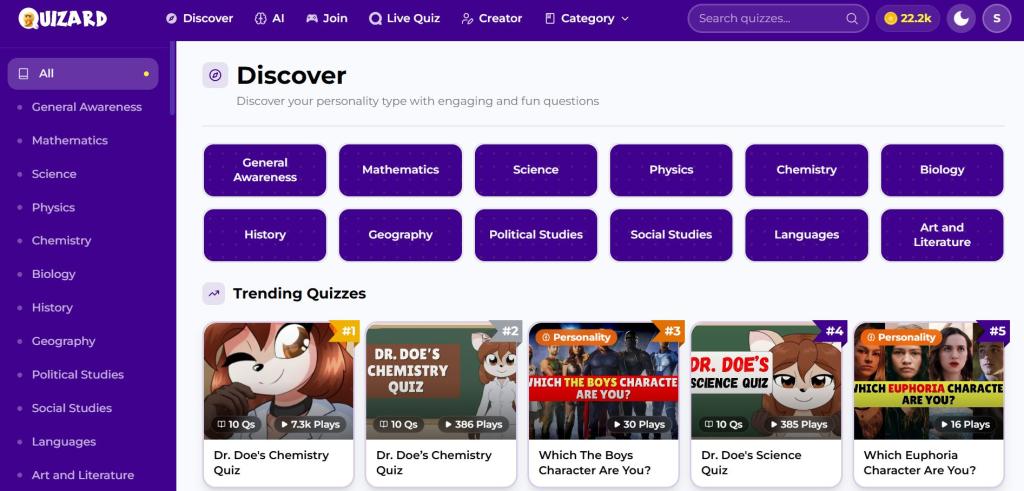
Prioritize Clarity and Simplicity: Write questions using clear and straightforward language. Participants should be able to understand each question quickly without confusion or ambiguity.
Align Questions with Your Objectives: Every question should serve a specific purpose. Whether your goal is assessment, training, or engagement, ensure that each question contributes to the overall objective of the quiz.
Create a Logical Question Flow: Organize questions in a structured sequence that feels natural to participants. A well-organized quiz improves the user experience and keeps participants focused.
Maintain a Balanced Difficulty Level: Include a combination of easy, moderate, and challenging questions to keep participants engaged while accurately measuring their knowledge.
Keep the Quiz Concise and Focused: Avoid adding unnecessary questions. Shorter, targeted quizzes often achieve higher completion rates and provide more meaningful results.
Review and Test Before Publishing: Carefully check questions, answers, formatting, and quiz settings before sharing your quiz with participants.
Use Results to Improve Future Quizzes: Analyze participant responses and performance data to identify trends, improve question quality, and create better quizzes over time.
By following these best practices, you can create interactive quizzes that are engaging, professional, and effective for your audience.
Who Can Use Quizard?
Quizard is designed for anyone who wants to create, share, and manage quizzes online. Whether you're using quizzes for education, training, engagement, or entertainment, Quizard provides a flexible solution that adapts to different goals and audiences.
Teachers and Educators: Create classroom assessments, practice tests, homework assignments, and interactive learning activities that help measure student understanding and improve engagement.
Students: Build self-assessment quizzes to test your knowledge, prepare for exams, identify learning gaps, and reinforce important concepts through active learning.
Businesses and Organizations: Develop employee training programs, onboarding assessments, compliance evaluations, certification tests, and skill-based quizzes to support workforce development.
Content Creators and Bloggers: Increase audience engagement through trivia quizzes, personality quizzes, knowledge challenges, and interactive content that encourages participation.
Marketers and Brands: Use quizzes to generate leads, collect customer feedback, understand audience preferences, and create engaging marketing campaigns that drive interaction.
Community Managers and Event Organizers: Create quizzes for online communities, workshops, webinars, competitions, and events to encourage participation and interaction.
Whether you're an educator, student, trainer, marketer, creator, or business professional, Quizard's Free Online Quiz Maker helps you create engaging quizzes that inform, educate, and connect with your audience.
Why Choose Quizard?
At Quizard, our goal is to make quiz creation simple for everyone. Whether you're looking for a Free Online Quiz Maker for educational purposes, employee training, audience engagement, or entertainment, Quizard provides an intuitive and reliable solution. Our Online Quiz Maker is designed to help users create quizzes quickly without sacrificing flexibility or quality. From classroom assessments and practice tests to interactive trivia challenges and personality quizzes, Quizard supports a wide range of use cases.
With Quizard, you can Create a Quiz Online, customize quiz settings, and share quizzes from any device. The Quizard App is built for users who want a streamlined quiz creation experience without complicated setup processes or technical barriers. If you're searching for a Free Online Quiz Maker that combines ease of use with powerful functionality, Quizard provides everything you need to create online quizzes and engage your audience effectively.
👉 Ready to get started? Create and share your first quiz with Quizard today.
Frequently Asked Questions
8 questions answered
A Free Online Quiz Maker is a tool that allows users to create, customize, publish, and share quizzes without requiring technical skills. Quizard's Free Online Quiz Maker helps educators, businesses, students, and content creators build professional quizzes quickly and efficiently.
You can create a quiz online for free using Quizard. Simply choose a topic, add questions, customize your quiz settings, review the content, and publish it for your audience.
An Online Quiz Maker can be used by teachers, students, businesses, trainers, marketers, content creators, community managers, and organizations looking to create engaging assessments and interactive experiences.
Quizard supports educational quizzes, trivia quizzes, personality quizzes, training assessments, practice tests, knowledge checks, and audience engagement quizzes.
A Free Online Quiz Maker saves time, automates scoring, improves accessibility, simplifies sharing, and provides valuable performance insights that are difficult to achieve with traditional paper-based quizzes.
Yes. Teachers can create classroom assessments, practice tests, assignments, and interactive learning activities, while students can use quizzes for self-assessment and exam preparation.
Absolutely. Businesses can use Quizard to create employee training programs, onboarding assessments, compliance evaluations, certification tests, and skill-based learning activities.
Quizard combines ease of use with powerful quiz creation capabilities. Users can create online quizzes, customize settings, share quizzes instantly, and engage participants without needing technical expertise. The Quizard App is designed to make quiz creation simple, efficient, and accessible for everyone.