
How to Create an Online Assessment Quiz for Students and Employees
Assessments play an important role in measuring knowledge, skills, and overall progress. However, creating and managing traditional tests can take significant time and effort. With the growth of digital learning and workplace training, Online Assessment Quizzes have become a simple and effective way to evaluate students and employees.
An Online Assessment Quiz allows teachers, trainers, and businesses to create interactive assessments that measure understanding and track performance more efficiently. From classroom tests and practice assessments to employee training evaluations, these quizzes can be used for a wide range of educational and professional purposes. Creating an assessment does not have to be complicated. With a reliable Assessment Quiz Maker, you can build quizzes, add questions, customize settings, and share them with participants in just a few steps. Quizard makes it easy to create engaging assessments for student assessment, employee assessment, training programs, and knowledge evaluation.
In this article, we will explain what an Online Assessment Quiz is, why Online Assessment Quizzes are becoming increasingly popular, how to create an Online Assessment Quiz with Quizard, and the essential features to look for in a good Assessment Quiz Maker.

What Is an Online Assessment Quiz?
An Online Assessment Quiz is a digital assessment designed to evaluate a person's knowledge, skills, understanding, or performance. Unlike traditional paper-based tests, online assessments allow participants to complete quizzes using computers, tablets, or smartphones from anywhere. An Assessment Quiz can include different question formats, such as multiple-choice questions, true or false questions, fill-in-the-blanks, matching, and other interactive question types. These quizzes are widely used in schools, colleges, coaching institutes, employee training programs, and businesses to measure learning outcomes and skill development.
Whether it is used for Student Assessment or Employee Assessment, an Online Assessment Quiz provides a faster, more flexible, and engaging way to evaluate participants while simplifying the assessment process for teachers, trainers, and organizations.
Why Use Online Assessment Quizzes?
Online Assessment Quizzes offer a faster and more engaging way to evaluate knowledge, skills, and overall performance. Whether you are assessing students in a classroom or employees during training, digital assessments simplify the evaluation process while providing a better experience for participants.
Compared to traditional paper-based tests, online assessments are easier to create, manage, and share. They also help participants receive quicker feedback, allowing them to identify areas for improvement and continue learning more effectively.
Save Time Creating Assessments
Preparing assessments manually can be time-consuming. An Assessment Quiz Maker helps teachers and trainers create quizzes more efficiently, reducing the time spent on preparing and managing assessments.
Improve Engagement
Interactive questions encourage participants to stay focused and actively complete the assessment. A well-designed Online Assessment Quiz creates a more engaging experience than traditional testing methods.
Support Faster Feedback
One of the biggest advantages of Online Assessment Quizzes is the ability to provide quick feedback. Participants can review their performance and better understand the topics that need more attention.
Track Learning and Skill Development
Assessment results help teachers, trainers, and organizations measure progress over time. By identifying strengths and improvement areas, they can provide better guidance and create more effective learning or training plans.
Flexible for Different Assessment Needs
An Online Assessment Quiz can be used in many situations, including classroom learning, employee onboarding, certification programs, skill development, practice tests, and knowledge checks. This flexibility makes it a valuable solution for both education and workplace training.
Common Uses of Online Assessment Quizzes
An Online Assessment Quiz can be adapted for different learning and evaluation purposes. Some of the most common uses include:
Student Assessment
Teachers can create quizzes to evaluate classroom learning, conduct chapter tests, assign practice activities, and prepare students for upcoming examinations.
Employee Assessment
Businesses can use assessment quizzes to evaluate employee knowledge, measure training effectiveness, assess workplace skills, and support professional development.
Training Programs
Organizations and training providers can use quizzes before and after training sessions to measure learning progress and identify knowledge gaps.
Certification and Practice Tests
Assessment quizzes can also be used to prepare participants for certification exams, competitive tests, or internal evaluations by providing a structured way to practice and measure performance.
How to Create an Online Assessment Quiz with Quizard
Creating an Online Assessment Quiz with Quizard is quick and straightforward. Whether you are preparing a Student Assessment, an Employee Assessment, or a training evaluation, Quizard provides an easy way to build, customize, and share assessments. Follow these steps to create an Online Assessment Quiz with Quizard:
Step 1: Sign In and Create a New Quiz
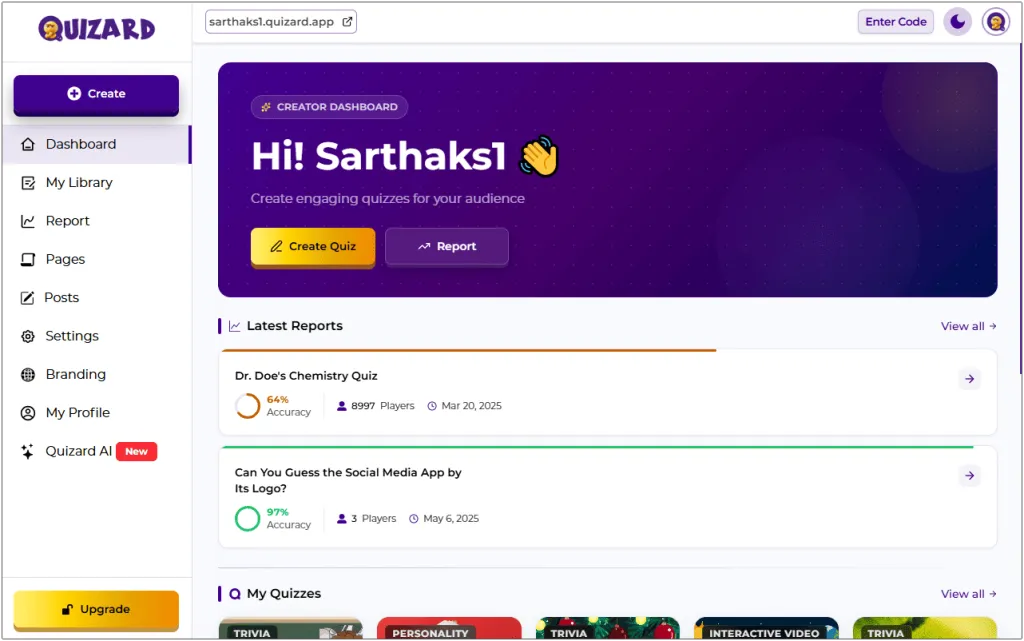
Log in to your Quizard account, open the Quizard Creator, and click Create Quiz to start building your assessment.
Step 2: Select the Quiz Type
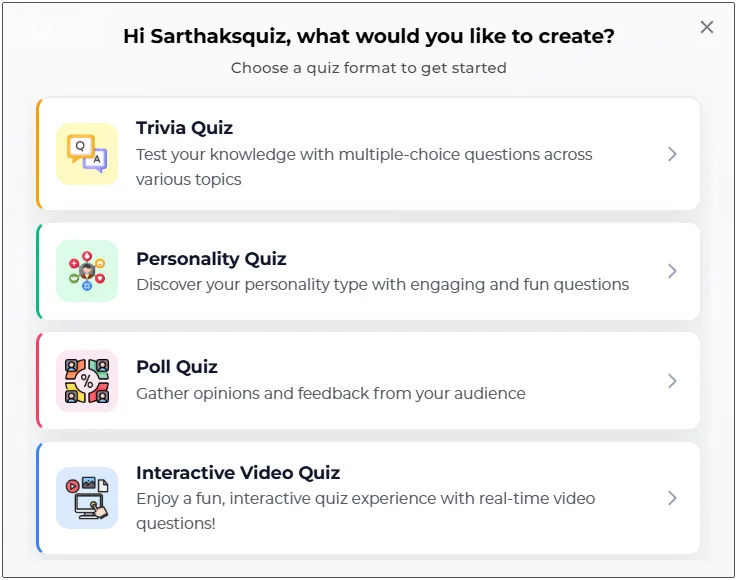
Choose the quiz type that best fits your assessment. Quizard supports multiple quiz formats, allowing you to create assessments for different learning and training needs.
Step 3: Add Quiz Details
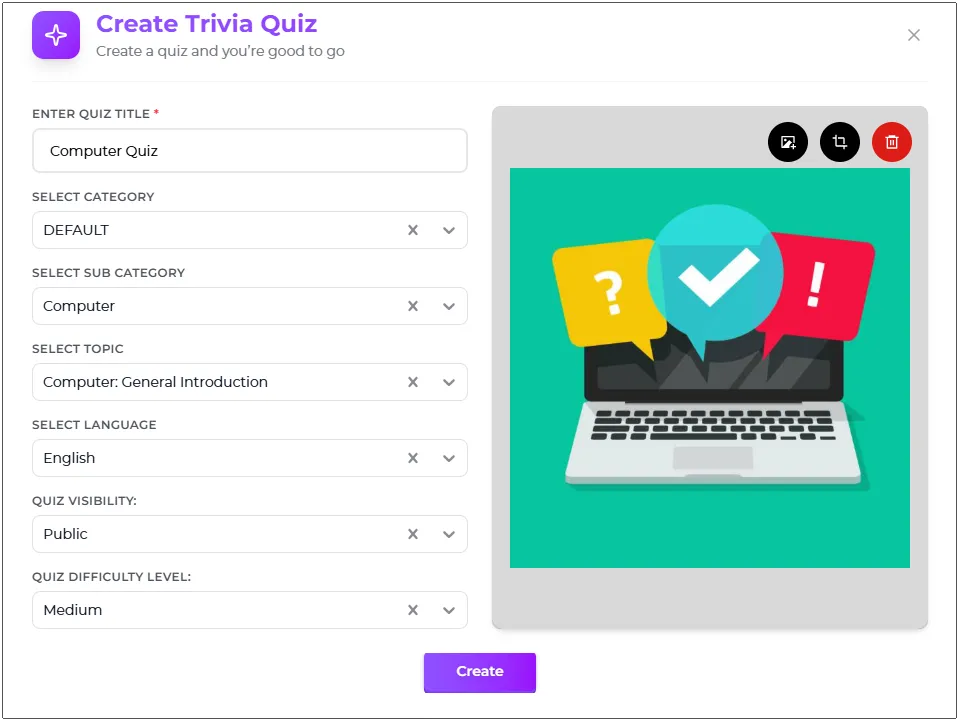
Enter the quiz title, description, category, language, thumbnail, and other required details. These settings help organize your Assessment Quiz and provide participants with important information before they begin.
Step 4: Add Questions and Answer Options
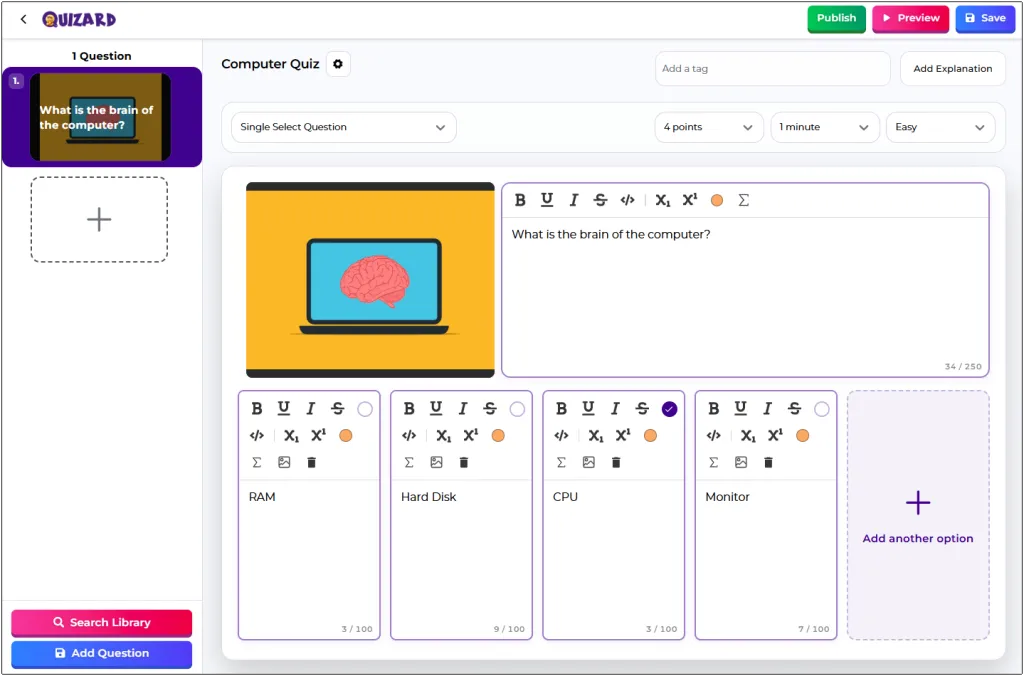
Create your assessment by adding relevant questions and answer options. You can create questions manually and customize them according to your assessment goals. Add different question types, organize your content, and design an effective assessment that matches your learning or training requirements.
Step 5: Review and Publish
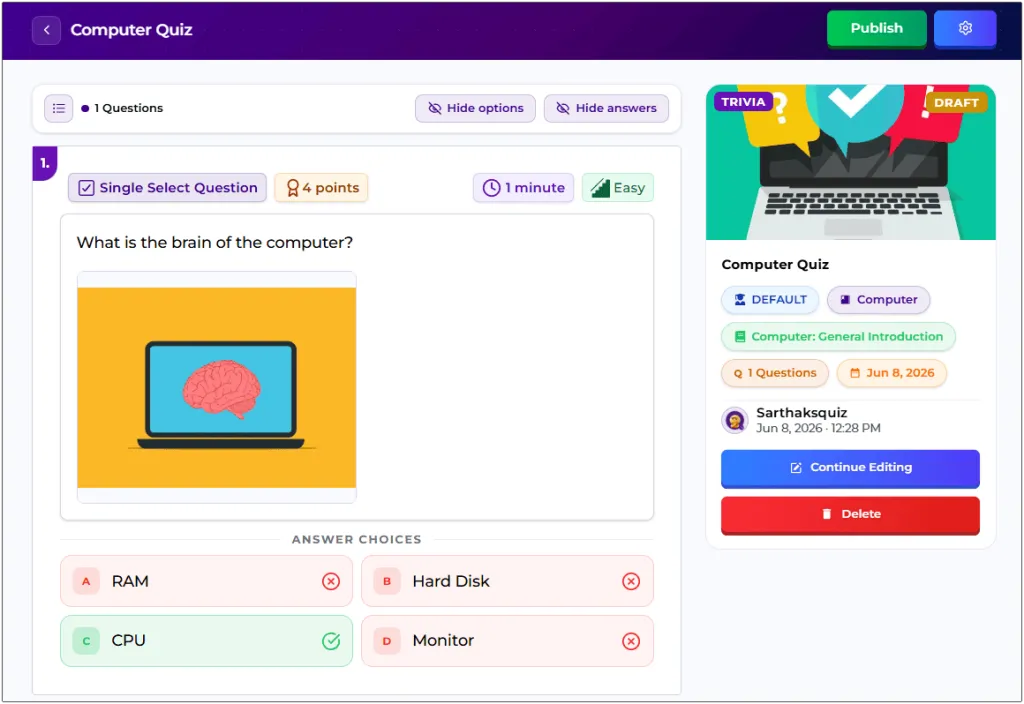
Review your Online Assessment Quiz to ensure all questions, answers, and settings are accurate. Once everything is ready, publish the quiz to make it available for participants.
Step 6: Share Your Assessment
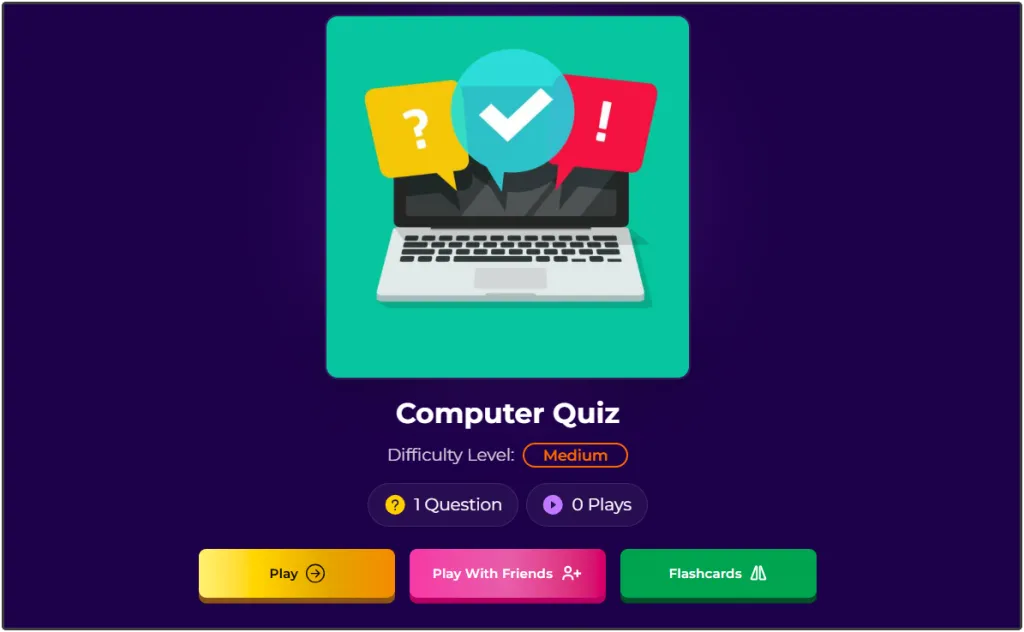
After publishing, share your assessment using its quiz link. Students, employees, or trainees can access the quiz from their devices and complete the assessment anytime, making the evaluation process simple and convenient.
Essential Features of a Good Online Assessment Quiz Maker
Choosing the right Assessment Quiz Maker can make assessment creation faster and more effective. Here are some important features to look for:
Easy Quiz Creation: Create assessments quickly without a complicated setup process.
Multiple Question Types: Support different question formats to match various assessment needs.
Customization Options: Adjust quiz settings, difficulty levels, and scoring based on your objectives.
AI-Powered Quiz Generation: Save time by generating assessment questions using Quizard AI.
Easy Sharing: Share quizzes with students, employees, or trainees using a simple link.
Mobile-Friendly Access: Allow participants to complete assessments on smartphones, tablets, or computers.
Why Choose Quizard for Online Assessment Quizzes?
Quizard makes it easy to create engaging Online Assessment Quizzes for education, training, and workplace evaluations. Whether you are preparing a Student Assessment or an Employee Assessment, Quizard provides flexible quiz creation tools that simplify the entire process.
As an Assessment Quiz Maker, Quizard allows you to create assessments manually or generate questions with Quizard AI. You can customize quiz settings, choose different question types, and share assessments with participants in just a few clicks, making it a practical solution for teachers, trainers, and businesses.
Ready to Create Better Assessments? Start with Quizard Today.
Frequently Asked Questions
6 questions answered
An Online Assessment Quiz is a digital assessment used to evaluate knowledge, skills, or performance through interactive questions.
You can create an Online Assessment Quiz by adding quiz details, creating questions, customizing settings, and publishing your assessment using Quizard.
An Assessment Quiz Maker is a tool that helps users create, customize, and share online assessments for education, training, and workplace evaluations.
Yes. Teachers can use Online Assessment Quizzes for classroom tests, chapter revisions, practice activities, and exam preparation.
Yes. Businesses can use assessment quizzes for employee training, skill assessments, onboarding, certification programs, and performance evaluations.
Yes, you can create online assessments using Quizard's quiz creation features and build engaging quizzes for different audiences.