How to Create an Online Trivia Quiz in Minutes
Summary:
Learn how to create an engaging Online Trivia Quiz with Quizard in just a few simple steps. Explore where trivia quizzes can be used, discover tips for creating better quizzes, avoid common mistakes, and start building interactive Trivia Quizzes that educate, entertain, and engage your audience.
Trivia quizzes have become one of the most popular ways to learn, entertain, and engage people online. From classrooms and workplaces to social media and virtual events, they encourage participation by turning knowledge into a fun and interactive experience. Whether you're testing general knowledge, exploring a specific topic, or simply challenging friends, a well-designed Online Trivia Quiz can capture attention and keep participants engaged from start to finish.
Creating a Trivia Quiz doesn't have to be complicated. With the right tools, you can build, publish, and share a professional quiz in just a few minutes. At Quizard, we've made the process simple so that educators, businesses, content creators, students, and quiz enthusiasts can focus on creating great questions instead of managing technical details.
In this guide, you'll discover why trivia quizzes are so popular, where they can be used, and how you can create an engaging Online Trivia Quiz with Quizard in just a few simple steps.

Why Are Trivia Quizzes So Popular?
Trivia quizzes have remained popular for years because they combine learning with entertainment. Instead of simply reading information, participants actively answer questions, making the experience more engaging and memorable. This interactive format encourages people to think, recall knowledge, and enjoy a healthy sense of competition. Another reason for their popularity is their versatility. A Trivia Quiz can cover almost any topic, from history and science to sports, movies, technology, or current events. Whether the goal is education, training, or entertainment, trivia quizzes can be adapted to suit different audiences and occasions.
Online accessibility has also contributed to the growing popularity of trivia quizzes. Participants can join from anywhere using a computer, tablet, or smartphone, making it easy to connect with people regardless of location. This convenience has made Online Trivia Quizzes a popular choice for schools, organizations, businesses, and online communities. Perhaps the biggest advantage is that trivia quizzes appeal to people of all ages. Students can use them to reinforce learning, professionals can use them for training, and friends or families can enjoy them as a fun activity. Their ability to educate, entertain, and encourage participation continues to make them one of the most effective forms of interactive content.
Where Can You Use a Trivia Quiz?
A Trivia Quiz is suitable for much more than testing knowledge. Its flexibility makes it useful in many different situations where interaction, learning, or audience engagement is important.
Education and Classroom Activities
Teachers and educators can use Trivia Quizzes to make lessons more interactive, conduct revision sessions, and assess students in an enjoyable way. Instead of traditional question papers, quizzes encourage active participation and make learning more engaging.
Employee Training
Businesses can use trivia quizzes to reinforce workplace training, evaluate employee knowledge, and make learning sessions more interactive. They are especially useful for onboarding programs, compliance training, and skill development.
Events and Competitions
Whether it's a school competition, corporate event, webinar, or virtual gathering, an Online Trivia Quiz adds excitement and encourages participation. It can be used to engage attendees, break the ice, or create friendly competition.
Content Creation and Community Engagement
Content creators, bloggers, and online communities can use trivia quizzes to increase audience interaction and encourage repeat engagement. A fun quiz related to a topic or niche can keep visitors interested and motivate them to share it with others.
Friends and Family
Trivia quizzes are also a great way to connect with friends and family. Whether it's a game night, birthday celebration, or casual gathering, they create enjoyable moments while encouraging everyone to participate and have fun together.
How to Create an Online Trivia Quiz with Quizard
Creating an Online Trivia Quiz with Quizard is quick and straightforward. Whether you're planning a classroom activity, a team challenge, or a fun quiz for friends, Quizard provides an intuitive workflow that helps you build and publish your quiz in just a few minutes.
Step 1: Choose Trivia Quiz
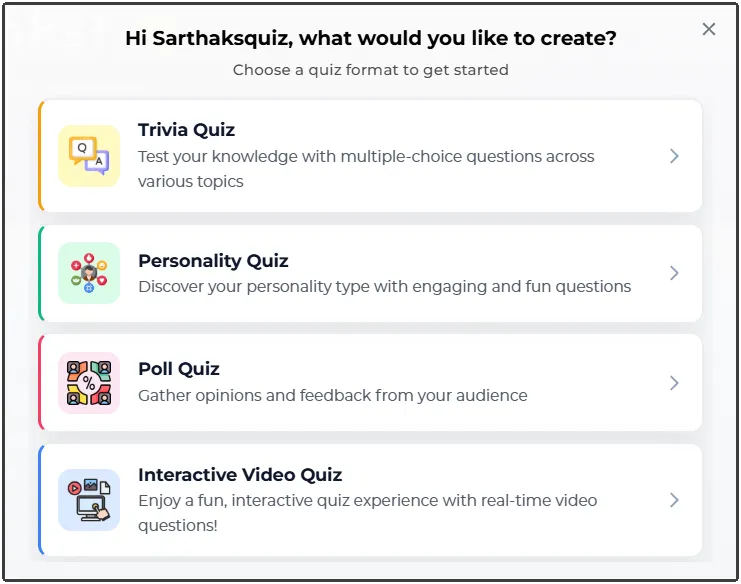
Start by creating a new quiz and selecting Trivia Quiz as your quiz type. This format is ideal for testing knowledge through engaging questions and is suitable for a wide range of topics, including education, entertainment, sports, history, science, technology, and more.
Step 2: Add Your Quiz Details
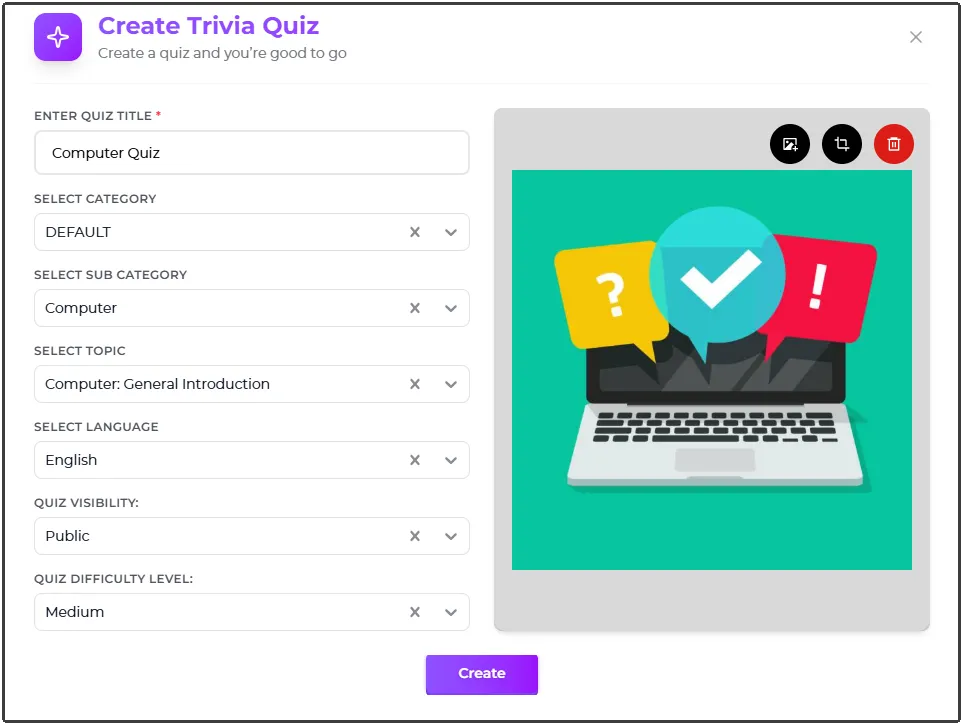
Once you've selected the quiz type, provide the basic information for your quiz. Add a clear title, an informative description, choose the appropriate subject category, select the quiz level and language, and upload a thumbnail to give your quiz a professional appearance. These details help participants understand what your Trivia Quiz is about before they begin.
Step 3: Create Your Questions
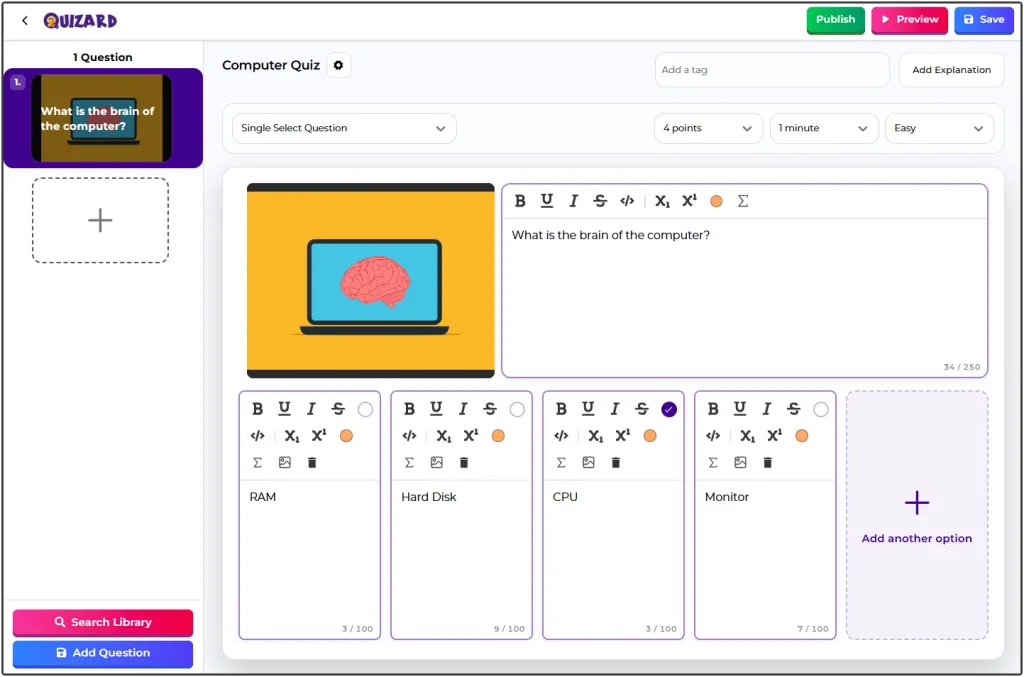
Now it's time to build your quiz by adding questions. Quizard offers multiple question types, allowing you to create a more engaging and interactive experience. Write clear questions, add accurate answer options, and organize them in a logical order. A well-structured Online Trivia Quiz not only tests knowledge but also keeps participants interested until the final question.
Step 4: Review and Publish
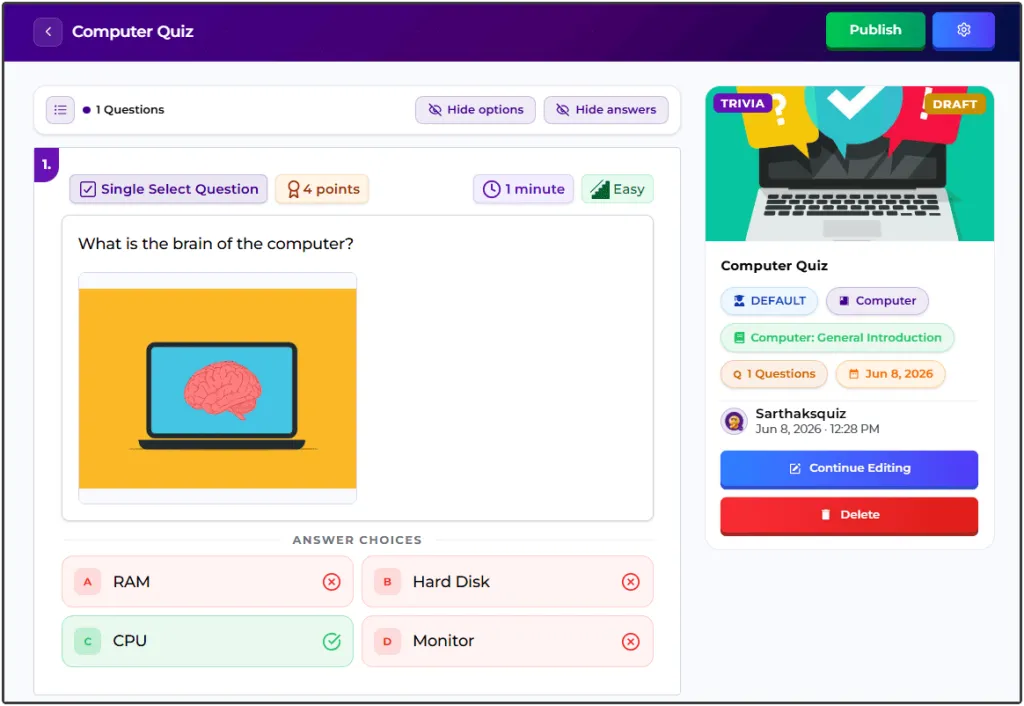
Before making your quiz available, review all the details carefully. Check your title, questions, answer options, and quiz settings to ensure everything is accurate and complete. Once you're satisfied, publish your quiz so it's ready for participants.
Step 5: Play and Share
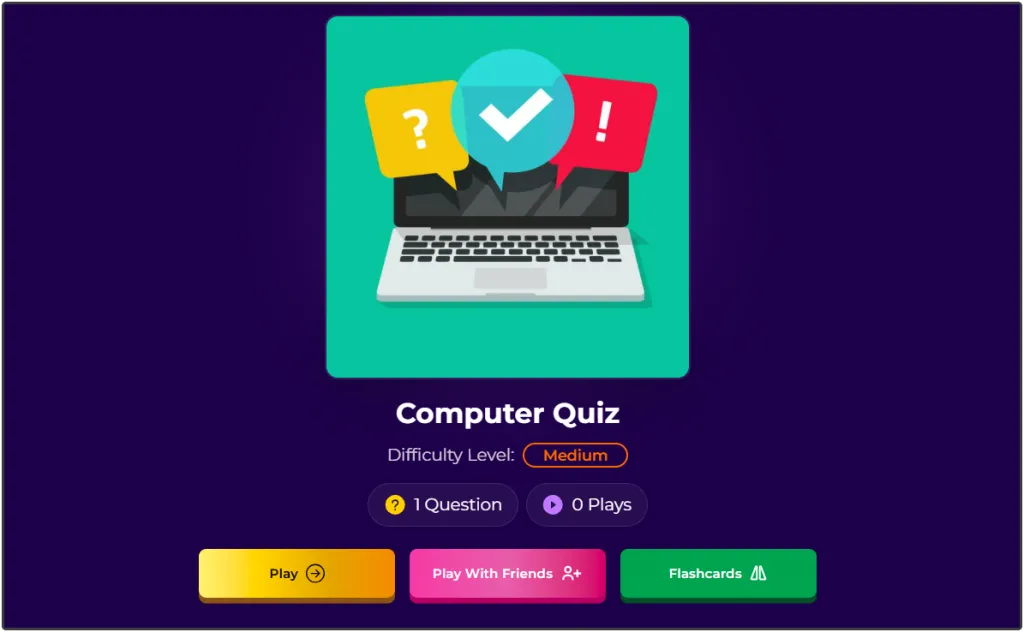
After publishing, your Online Trivia Quiz is ready to play. Preview the quiz to experience it from a participant's perspective, then share it through a direct link with students, colleagues, friends, or your online audience. Whether you're hosting a competition or simply sharing a fun challenge, Quizard makes it easy to reach participants across different devices and platforms.
By following these simple steps, you can Create a Trivia Quiz that is interactive, engaging, and easy to share. With Quizard, turning your ideas into a professional Trivia Quiz takes only a few minutes.
What Makes a Great Trivia Quiz?
A Trivia Quiz is more than a collection of questions. It should be engaging, well-structured, and enjoyable for participants from beginning to end. Whether you're creating a quiz for learning, training, or entertainment, following a few best practices can make a big difference in the overall experience.

Choose an Interesting Topic: Pick a topic that matches your audience's interests, such as movies, sports, science, history, or general knowledge.
Know Your Audience: Consider the age group and knowledge level of your participants so you can create questions that are relevant and enjoyable.
Keep Questions Clear and Concise: Write questions that are easy to understand and avoid confusing language or unnecessary complexity.
Balance the Difficulty Level: Include a mix of easy, medium, and challenging questions to keep participants engaged throughout the quiz.
Use Relevant Images: Adding images where appropriate can make your Online Trivia Quiz more interactive and visually appealing.
Give Your Quiz a Catchy Title: A compelling title encourages more people to play your quiz and increases overall participation.
Review Before Publishing: Always preview your quiz to check for spelling mistakes, incorrect answers, or formatting issues before sharing it.
Common Mistakes to Avoid
Even a well-planned Online Trivia Quiz can lose its appeal if a few common mistakes are overlooked. Avoiding these issues will help you create a quiz that is enjoyable, professional, and easy to complete.
Making Questions Too Easy or Too Difficult: A quiz that is too simple can become boring, while one that is too difficult may discourage participants. Aim for a balanced level of challenge.
Using Unclear Questions: Questions should be straightforward and leave little room for confusion. Clear wording improves the overall quiz experience.
Including Too Many Questions: Long quizzes can reduce participation and completion rates. Keep your quiz focused and include only questions that add value.
Choosing Incorrect Answers: Always verify your answers before publishing to maintain the credibility of your Trivia Quiz.
Ignoring the Quiz Presentation: A descriptive title, engaging thumbnail, and well-organized layout create a better first impression and encourage more people to participate.
Skipping the Final Review: Preview your quiz before publishing to ensure everything is accurate and works as expected.
By following these best practices and avoiding common mistakes, you can create an Online Trivia Quiz that is informative, entertaining, and memorable. A thoughtful approach not only improves the participant experience but also encourages people to complete and share your quiz with others.
Why Create Trivia Quizzes with Quizard?
Creating a Trivia Quiz should be simple, enjoyable, and accessible to everyone. Quizard provides an easy-to-use platform where you can build, customize, and publish trivia quizzes without any technical experience. From adding quiz details to creating questions and sharing your quiz, every step is designed to help you create engaging quizzes with ease.
Whether you're an educator creating classroom activities, a business organizing team challenges, a content creator engaging your audience, or someone planning a fun quiz for friends, Quizard gives you the tools to bring your ideas to life. With support for multiple question types, an intuitive interface, and seamless sharing, Quizard helps you create professional Trivia Quizzes that people enjoy playing.
Ready to create your own Trivia Quiz? Start with Quizard today.
Frequently Asked Questions
8 questions answered
An Online Trivia Quiz is a quiz that tests participants' knowledge on a particular topic through a series of questions. It can be played online using a computer, tablet, or smartphone.
You can Create a Trivia Quiz by choosing the Trivia Quiz option in Quizard, adding your quiz details, creating questions, reviewing the quiz, and publishing it for participants.
Yes. You can edit your quiz whenever needed. Simply update the quiz details or questions, save your changes, and republish if required.
Anyone can create an Online Trivia Quiz, including teachers, students, businesses, trainers, event organizers, content creators, and individuals who want to entertain or engage their audience.
Absolutely. Once your quiz is published, you can easily share it with others using a direct link, making it simple for participants to play from any device.
Yes. Quizard offers a free plan that allows you to create and share quizzes, making it easy to get started without any upfront cost.
You can create trivia quizzes on almost any topic, including general knowledge, history, science, geography, sports, movies, music, technology, business, education, and more.
The ideal number depends on your purpose, but most Trivia Quizzes include between 10 and 25 questions to keep participants engaged without making the quiz too long.